Skid Steer Ride Comfort and Operator Controls
Key Takeaways
- Maintenance standards
- Safe operation
- Field inspection guidelines
Long shifts of grading, loading, excavation, and attachment work can become more difficult when the operator station is not adjusted to the person using the machine. An incorrect seat position, unsupported arms, aggressive control response, or poor visibility can contribute to fatigue and make precise movements harder to maintain. Limited visibility can also reduce awareness of workers, obstacles, and changing conditions around the machine.
Seat adjustment, armrest position, joystick controls, visibility, and ride quality all influence how comfortably and effectively an operator can work. A properly positioned seat supports a stable posture, while reachable controls allow smoother machine movements with less unnecessary effort. Clean windows, mirrors, and other visibility areas are equally important for maintaining awareness while traveling, grading, or operating attachments.
Before starting a shift, operators should adjust the seat and controls to their position and check that mirrors and windows provide a clear view. Control settings should suit the task and the operator's experience, while the station should be kept clean and free of anything that obstructs visibility. A properly maintained and adjusted operator station can support more precise work, reduce fatigue, and improve awareness throughout the workday.
Control Layout
A skid steer's controls should be arranged so the operator can access important functions without unnecessary movement. Travel, loader arms, bucket functions, auxiliary hydraulics, throttle, parking brake, and lights are used frequently throughout a shift, so a logical layout makes repeated tasks easier and more natural. Primary travel and loader controls should remain within easy reach, while commonly used auxiliary functions, the horn, and float controls may be integrated into the joystick grips. Secondary functions such as lights, throttle, and machine settings should be grouped in a clear panel, with gauges and displays for engine temperature, hydraulic temperature, fuel level, and warning indicators remaining easy to see from the operator's seat.
Operators should become familiar with the control layout before starting work, particularly when switching between different skid steers. Take time to identify each control, confirm its function, and review the operator's manual for unfamiliar features. Avoid adjusting settings or searching for switches while the machine is moving or carrying a load. Knowing where each control is located helps the operator respond more naturally and maintain attention on the work area.
Key takeaway: A logical control layout places important machine functions within easy reach, making repeated tasks easier to manage and reducing unnecessary operator movement.
Joystick Operation
Joystick controls allow operators to manage travel and loader functions from the seat. On many skid steers, the left joystick handles travel and steering while the right controls the loader arms and bucket, although the exact arrangement depends on the machine's control pattern. Some models offer ISO and H-pattern controls, which assign functions differently to each joystick. An operator familiar with one pattern could make an unintended movement when using another, so always confirm the selected pattern before starting work. If the pattern needs to be changed, follow the manufacturer's procedure and make the adjustment only with the machine safely parked. Joystick response can also vary between machines, with some allowing operators to adjust how quickly the machine reacts to inputs. Smoother response can help with grading, pallet handling, or work near structures, while more responsive settings may suit experienced operators performing digging or loading tasks.
Good joystick technique helps maintain smooth and controlled machine movement. Keep your forearms supported on the armrests and use controlled wrist and hand movements rather than large arm motions. Make gradual inputs, especially when carrying a raised load, and avoid sudden direction changes that could shift the load or affect machine stability. Keep the joystick grips clean and dry to maintain a secure and consistent hold. Operators should also become familiar with the machine's specific control pattern and response settings before beginning work.
Key takeaway: Joystick controls manage travel and machine functions from the operator station, and smooth, predictable control response supports precise movements during construction work.
Seat and Armrest Position
Proper seat and armrest adjustment helps the operator maintain a comfortable posture and precise control throughout the workday. The seat position, suspension, backrest, and armrests should be adjusted to suit the operator before work begins. A properly positioned operator station can reduce unnecessary reaching and fatigue during long shifts.
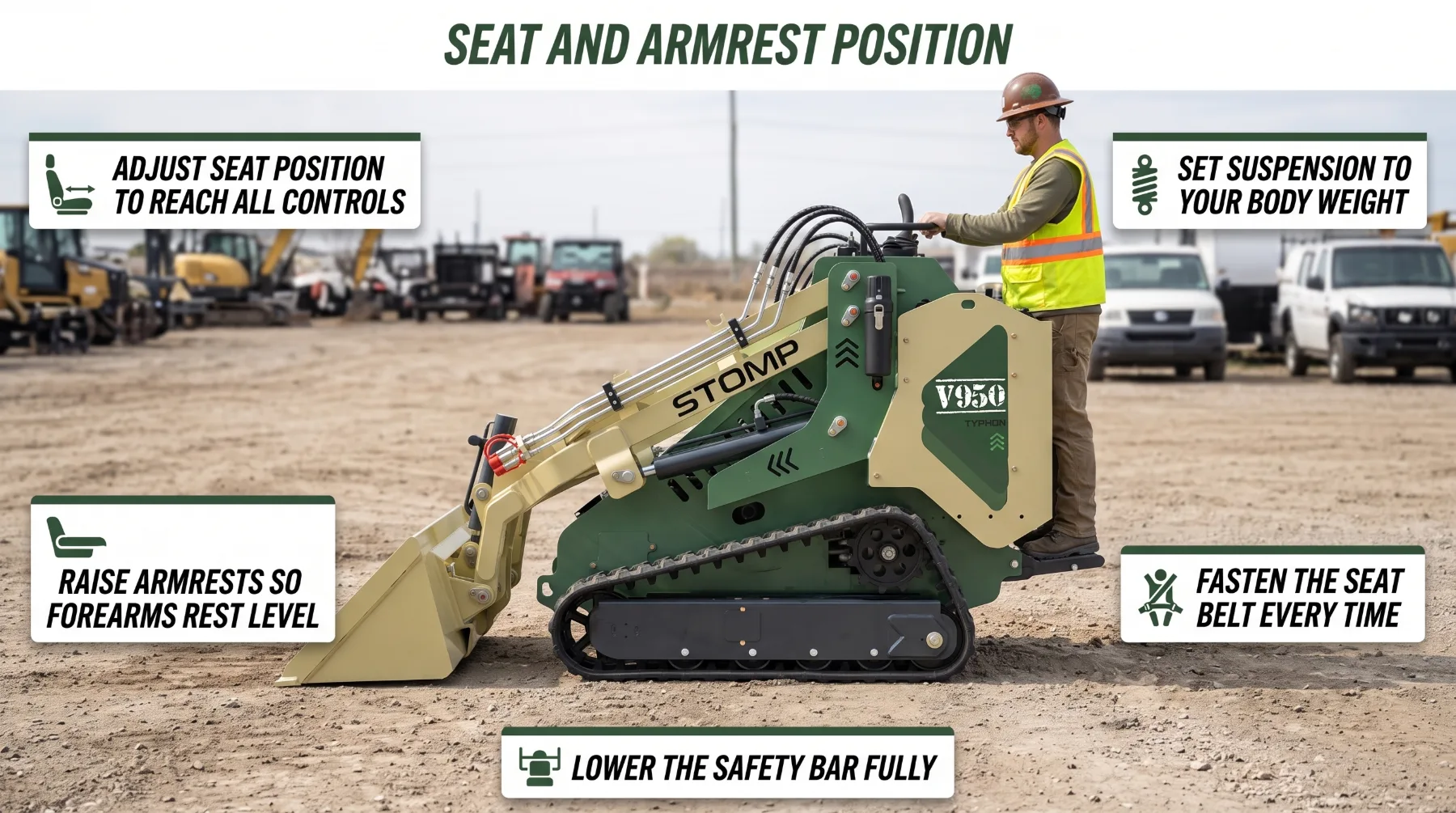
Suspension Setting: Set the suspension according to operator weight so the seat can absorb movement and bumps effectively.
Backrest Support: Position the backrest to support the lower back and maintain an upright operating posture.
Armrest Position: Set the armrests to support the forearms while keeping the hands naturally positioned on the controls.
Operator Safety: Use the seat belt and safety bar correctly, and inspect them regularly for damage or improper operation.
Key takeaway: Proper seat and armrest positioning supports good posture and comfort, allowing the operator to maintain a stable working position while using the controls repeatedly.
Vibration and Long Shifts
Skid steer operation can produce significant vibration from travel, rough ground, and attachment use, with breakers, planers, and other demanding attachments adding more movement. Over a long shift, continuous vibration can increase discomfort and fatigue, which may affect concentration and machine control. A properly adjusted operator station can help reduce these effects. A suspension seat can absorb bumps and jolts, while ride control or load stabilization, when equipped, can reduce bucket bounce during loaded travel. Traveling at a controlled speed over rough ground, maintaining correct tire pressure or track tension, and keeping travel routes graded and free of debris can also reduce unnecessary vibration.
Operator well-being should be part of the daily work plan, especially during long periods of attachment use. Take regular breaks to stand, stretch, and rest, and stay hydrated when working in hot conditions. Pay attention to signs of fatigue, including slower reactions or reduced concentration, and take a break when needed. A rested operator is better able to maintain smooth control, accurate movements, and safe machine operation.
Key takeaway: Vibration from travel and attachment use can cause discomfort over long shifts, and a properly adjusted operator station, controlled travel speed, and regular breaks help reduce fatigue.
Visibility From the Operator Area
Good visibility helps operators monitor the attachment, work area, and surrounding environment, especially when working near other equipment, trucks, structures, and people. A clear front door and windows provide a direct view of the bucket or attachment, while side and rear windows help monitor the machine's sides and travel path. Properly adjusted mirrors can extend the operator's view around blind spots, and rear camera systems, when equipped, provide additional visibility behind the machine. Work lights also help improve visibility during early-morning, evening, or other low-light conditions.
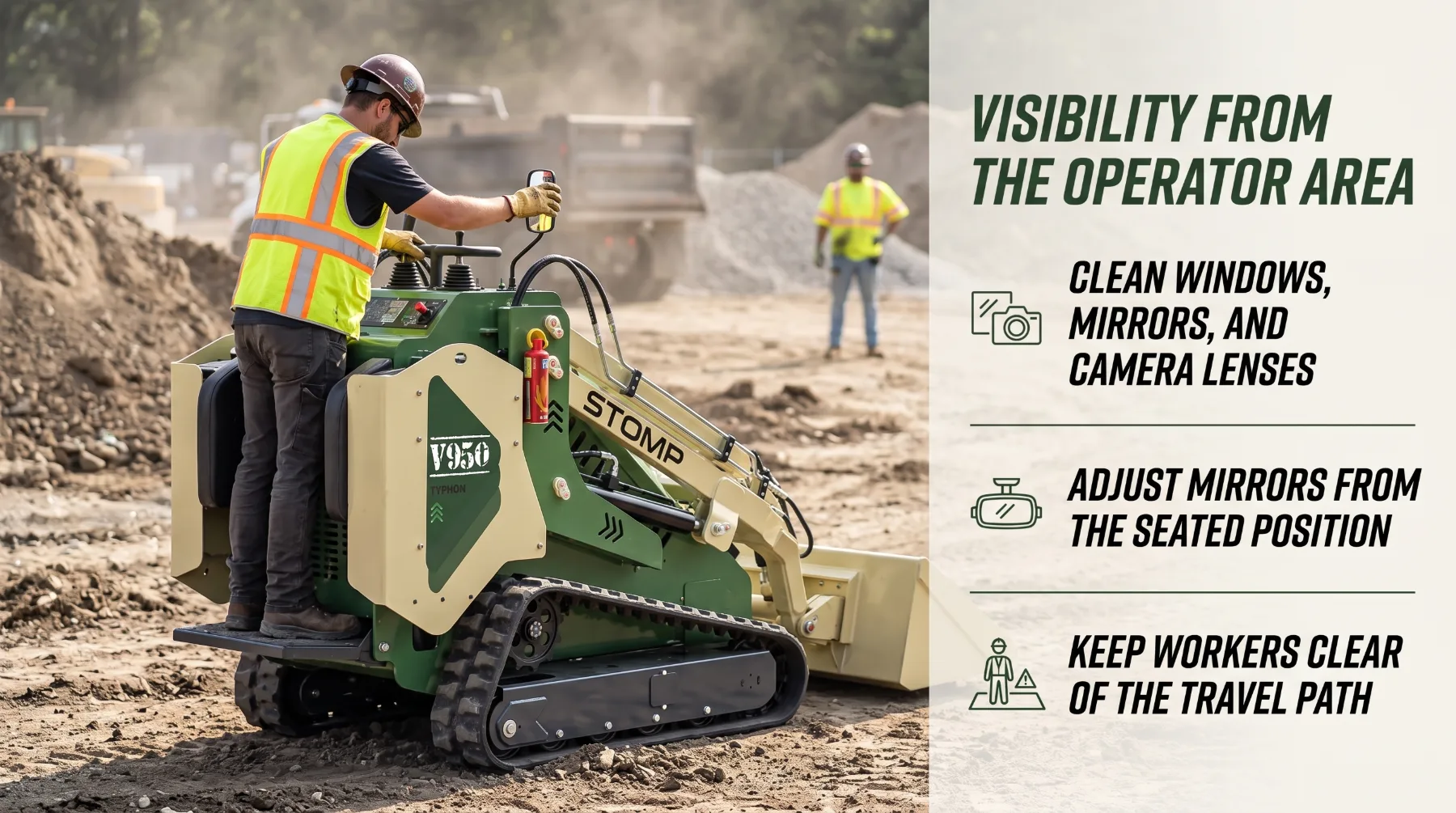
Jobsite dust, mud, and condensation can quickly reduce visibility, so clean windows, mirrors, and camera lenses before each shift and whenever conditions change. Adjust mirrors from the operator's seat after setting the seat position. Visibility features do not eliminate all blind spots, so always look in the direction of travel, use a spotter when required, and keep workers away from the machine's travel and operating area. Stop the machine immediately if someone unexpectedly enters the work zone.
Key takeaway: Good visibility helps operators monitor the attachment, work area, and surroundings, and clean windows, adjusted mirrors, and camera systems where equipped all support jobsite awareness.
Controls and Daily Productivity
Easy-to-use controls help operators perform repeated loading, grading, and attachment movements with less effort and fewer corrections. Predictable joystick response allows smoother cycles and reduces jerky movements, while precise control can limit spillage, unnecessary regrading, and repeat passes. Properly adjusted controls also reduce hand and body strain, helping operators maintain consistent performance throughout a shift. Easily accessible auxiliary controls make attachment changes and operation more efficient, particularly when the machine is used for different tasks throughout the day.
Training is an important part of getting the most from the operator station. Every operator should understand the machine's control pattern, response settings, and available seat and control adjustments before starting work. Operators should also report controls that feel loose, sticky, delayed, or unresponsive, as these symptoms may indicate problems with linkages, sensors, or hydraulic components. Addressing these issues promptly according to the manufacturer's service procedures can help maintain predictable control and prevent small problems from affecting productivity or safety.
Key takeaway: Easy-to-use controls and reduced hand and body movement help operators perform repeated movements efficiently, supporting smoother operation during long shifts.
Conclusion
Ride comfort and operator controls affect skid steer control, visibility, fatigue, and productivity throughout the workday. Controls should be positioned within easy reach, with the correct control pattern and suitable joystick response confirmed before operation so the operator can make smooth and predictable inputs. Seat suspension, backrest, armrests, and mirrors should be adjusted to support a stable posture and clear view of the attachment, travel path, and surrounding work area. Windows, mirrors, and camera lenses should remain clean, while tires or tracks should be maintained properly to support stable and comfortable travel across the site. Operators should use controlled travel speeds, avoid unnecessary vibration, take appropriate breaks, and report loose, sticky, or unresponsive controls before operating. Testing the horn, lights, backup alarm, and control interlocks as part of the pre-shift routine further supports safe operation. A properly adjusted workstation combined with responsive controls and clear visibility helps reduce fatigue, improve precision, and maintain consistent skid steer performance throughout long shifts.
Frequently Asked Questions
Why are skid steer controls important?
Controls allow operators to manage travel, loader functions, and attachments accurately and efficiently. A logical control layout and predictable response make it easier to perform repeated movements, maintain smooth operation, and work precisely around people, structures, and materials.
How do armrests affect operator comfort?
Properly positioned armrests support the operator's arms during repeated joystick and control use. Good support can reduce unnecessary arm, shoulder, and wrist movement, helping limit fatigue during long shifts. Armrests that align well with the seat and controls can also support more consistent and precise operation.
Does visibility affect skid steer operation?
Yes. Good visibility helps operators monitor the attachment, work area, obstacles, and nearby personnel. Clean windows, properly adjusted mirrors, and cameras or other visibility aids where equipped can improve awareness. Maintaining clear sightlines is especially important when working in confined or busy areas.
Why does ride comfort matter during long shifts?
Better ride comfort can reduce physical fatigue caused by repeated movement, vibration, and uneven terrain. A comfortable seat, suitable suspension, and well-positioned controls help operators maintain consistent posture and control throughout extended shifts. Reduced fatigue can support safer and more accurate operation.